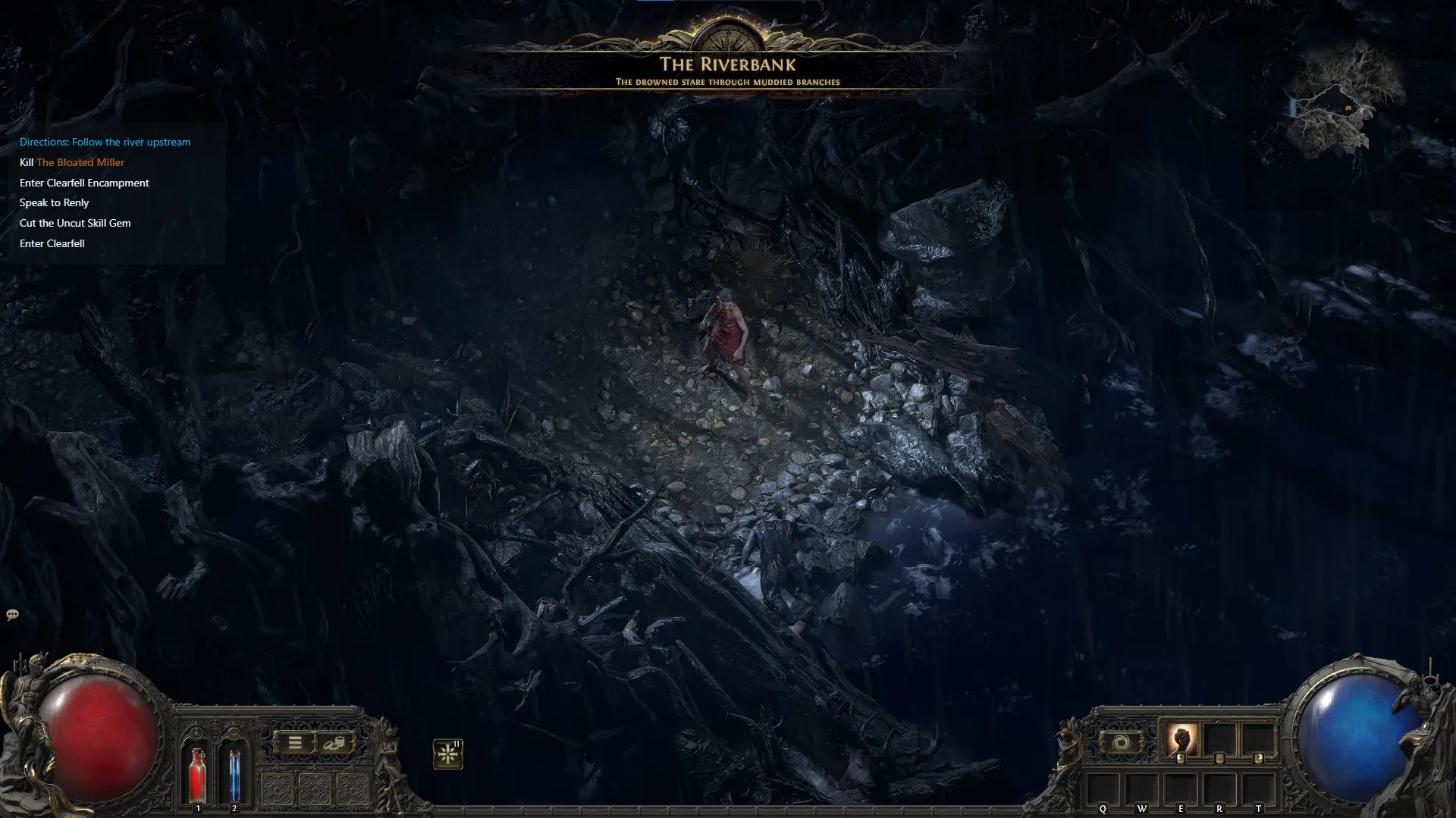
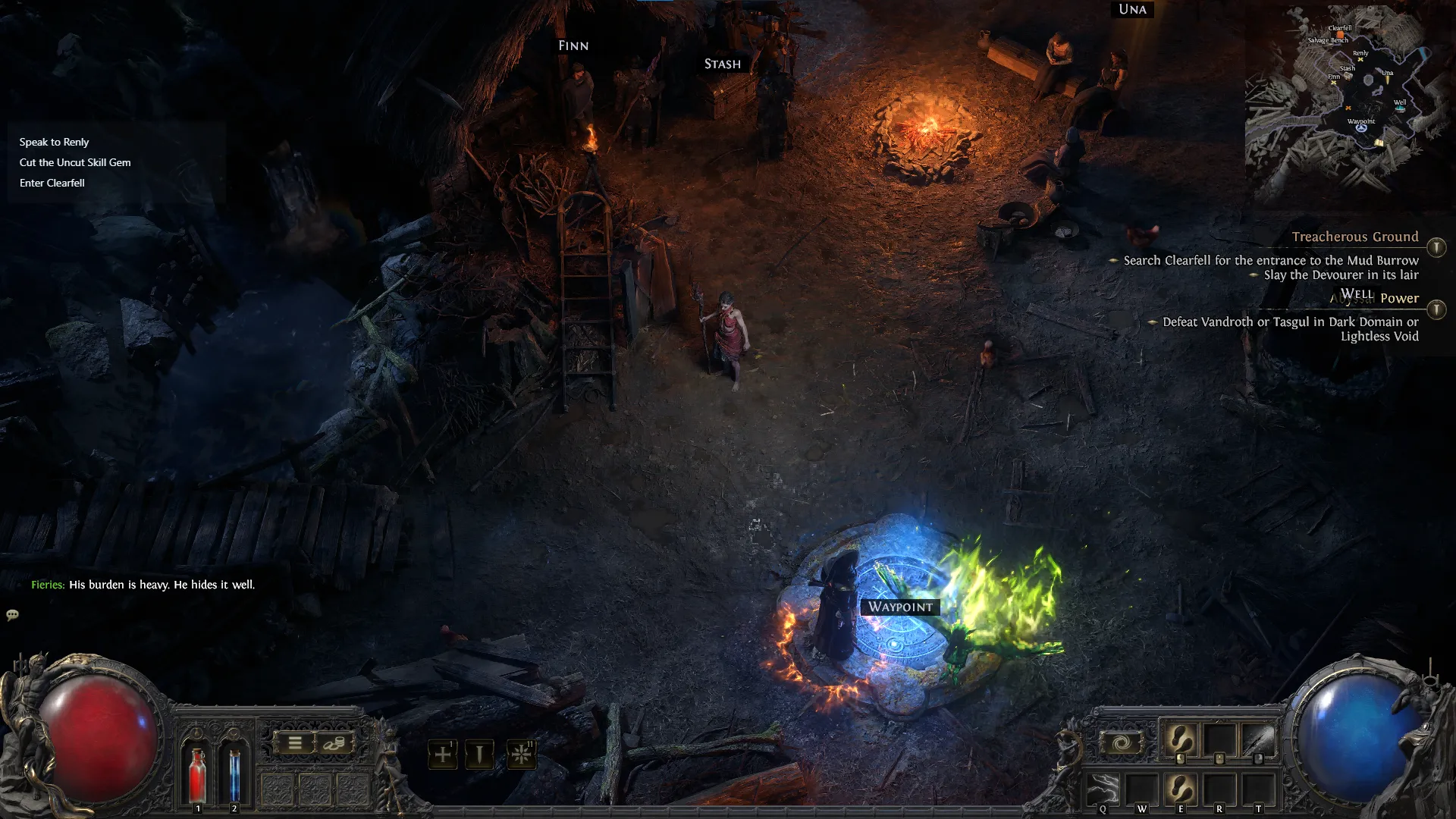
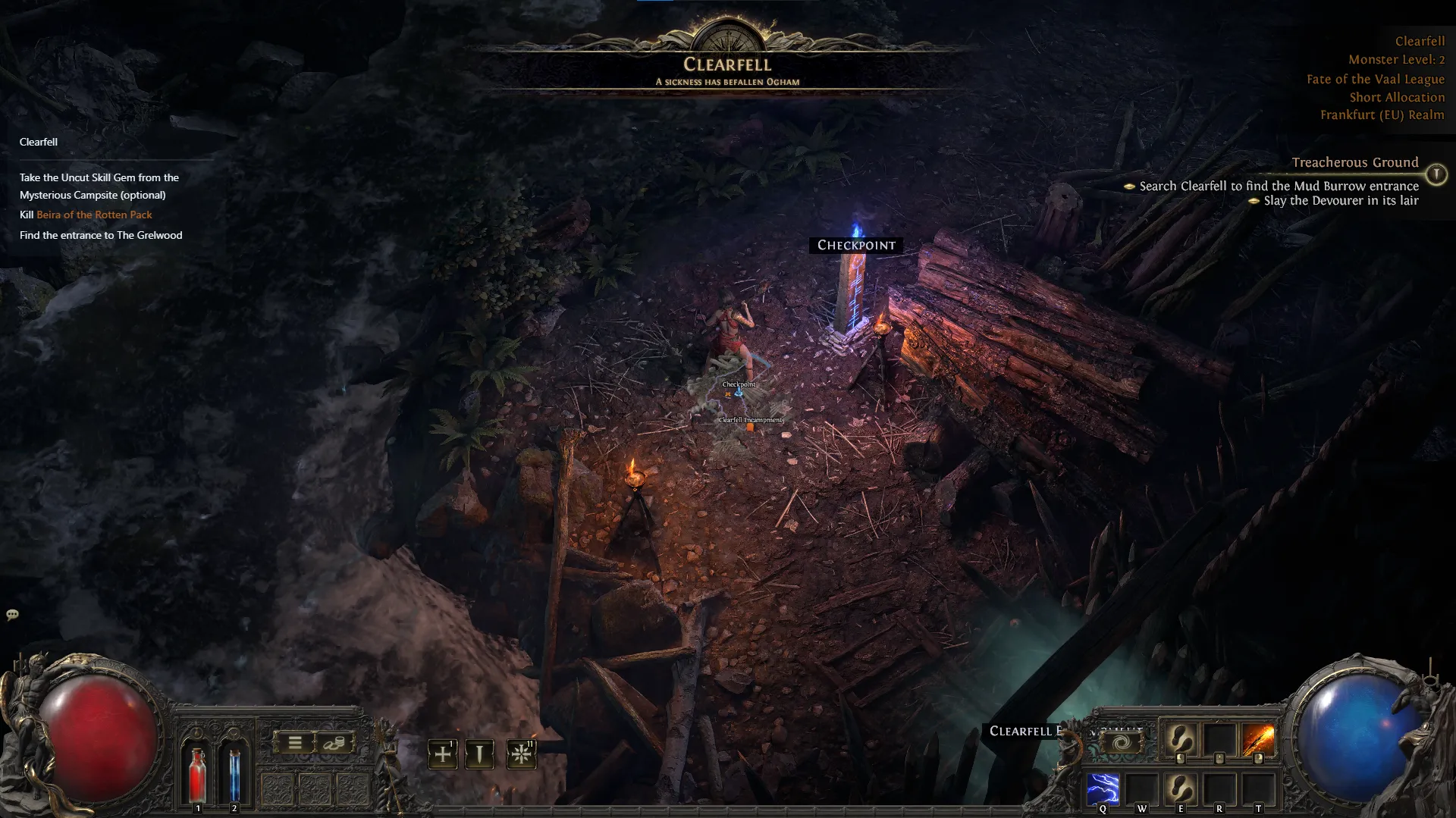
The Minimal Overlay for Speedrunning the Campaign
Focus on the campaign, skip the noise, finish faster.

Get started
How to use it
Get started in minutes. Just follow these simple steps.
- 1Download and Install
- Download and Install the latest version of the application to your computer.
- 2Run the App
- Open the application after installation is complete.
- 3Select Poe2 Client.txt
- Locate and select your
Client.txtfile from the Path of Exile 2/logs/Client.txt. - 4Run the Game
- Launch Path of Exile 2 and let the app handle the rest.
Frequently asked questions
Have a different question and can’t find the answer you’re looking for? Reach out to our support team by joining the discord server and we’ll get back to you as soon as we can.
- Is this overlay safe to use?
- Yes. It does not read game memory, inject into the game process, or modify any files. It reads the Client.txt log file and renders a transparent overlay. Fully compliant with GGG's Terms of Service.
- How much does it affect performance?
- Virtually zero. Less than 100MB of RAM and negligible CPU. It runs as a lightweight transparent window, not inside the game.
- Can I customize the overlay?
- Yes. Drag to reposition by pressing Ctrl+Shift+F to toggle the edit menu.
- Is it free?
- Completely free and open source on GitHub. Contributions and feature requests are welcome.
Download
Choose the version for your operating system. All downloads are open source and available on GitHub.
- Windows
- x64 Setup (.exe)Download fyi-overlay_0.1.18_x64-setup.exe2.01 MB
- Windows
- x64 MSIDownload fyi-overlay_0.1.18_x64_en-US.msi3.09 MB
- macOS
- Intel Macs (.dmg)Download fyi-overlay_0.1.18_x64.dmg3.45 MB
- macOS
- Apple Silicon (.dmg)Download fyi-overlay_0.1.18_aarch64.dmg3.35 MB
- Linux
- x64 AppImageDownload fyi-overlay_0.1.18_amd64.AppImage78.2 MB
- Linux
- x64 DEB (Debian/Ubuntu)Download fyi-overlay_0.1.18_amd64.deb4.33 MB
- Linux
- x86_64 RPM (Fedora, CentOS)Download fyi-overlay-0.1.18-1.x86_64.rpm4.33 MB
- Linux
- x64 (.tar.gz)Download fyi-overlay_x64.app.tar.gz3.31 MB